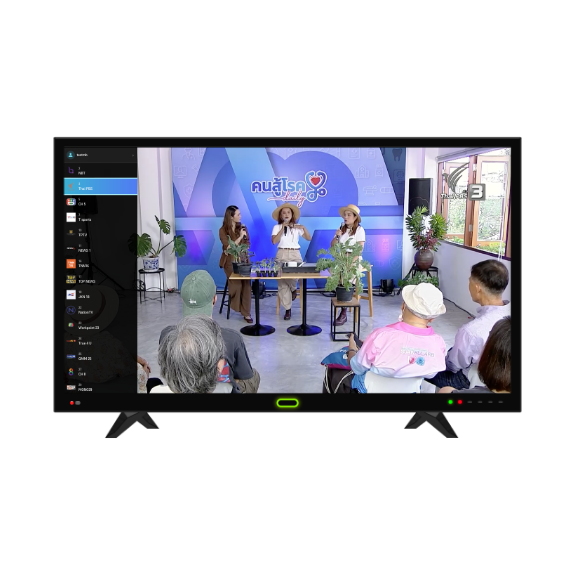
IPTV for Smart TVs

Turn on your TV, scan the QR code, and start watching. No typing passwords with your remote.

Live TV by Coelnext brings digital channels to your smart TV screen. Log in, sign up, or renew your subscription, all from your phone. Just point your camera at the TV.
Supports LG webOS Smart TVs · SAMSUNG Smart TVs (2025 or newer – coming soon) · Payment via PromptPay · Receive receipt via SMS instantly

How It Works

Three steps, right on your TV screen

Designed to minimize the use of your TV remote. Let your phone handle the numbers and long passwords.
Open the Live TV app on your TV
The screen displays a QR code unique to that TV, ready to connect to your phone.
Scan with your phone
Point your phone's camera at the TV. You'll be taken to fill in your details, log in, or pay on your phone instead.
Your TV connects instantly
Once you're done on your phone, the TV automatically switches to your content.
How to Sign Up

Two ways to sign up, whichever you prefer

Type directly with your TV remote, or let your phone do the typing. The result is the same.

Sign up directly on your TV

Enter your details with the remote
Select "Register on TV," then enter your phone number, username, and password using the on-screen keyboard.
Verify with OTP
An OTP code will be sent by SMS to the number you entered. Enter it on the TV screen to verify your identity.
Choose a package and pay
Select your package (or start a free trial if eligible), then scan the PromptPay QR code on your TV screen to pay.

Sign up on your phone (scan QR)

Scan the QR code on your TV
Select "Register via Mobile" A QR code will appear on the TV screen. Scan it with your phone's camera.
Enter your details on your phone
Type your phone number, username, and password, and verify the OTP on your phone. Much easier than using a remote.
Choose a package and pay
Select your package on your phone, then scan the PromptPay QR code that appears back on your TV screen to pay. Your TV starts playing as soon as payment is complete.
Renew Your Package

Renew right from your TV screen

without leaving the app

You'll get a reminder before your package expires. Once renewed, keep watching right away.
Open the account menu
While watching, open the account menu and select "Extend Now."
Scan with your phone
Scan the QR code on your TV screen, then choose the package you want to renew on your phone.
Pay and keep watching
Scan the PromptPay QR code on your TV screen to pay. Your subscription renews automatically. No need to exit the app or restart.
Note: Hotel/business accounts (project packages) cannot be self-renewed on screen. Please contact our business team directly via the hotline below.
Packages

Choose the plan that fits your needs

We serve both individual users and organizations managing multiple devices in one place.
Open the account menu
  • 1 device per account, with easy QR code login
  • Renew by yourself on your phone, no need to call every time
  • Automatic reminders before your package expires
Project Package
  • One account for multiple devices at once, based on the number of rooms/installation points
  • Central dashboard to monitor online devices in real time
  • Dedicated support team via our 24-hour business hotline
Payment

Pay with PromptPay

Get your SMS receipt instantly.

Each PromptPay QR code is generated per transaction and expires automatically for your security.

As soon as payment succeeds, you'll receive a receipt link by SMS, which you can view anytime.

Packages
Live TV Monthly
Payment method
PromptPay
Status
Successful
Receipt sent via
SMS
Support

Our team is here to help 24/7

We serve both individual users and organizations managing multiple devices in one place.
Chat with us
Ask about packages and sign-up
24/7 Support Hotline
082-726-5320
Backup: 082-726-5321 · 082-726-5322
Email: info@coelnext.co.th
For business and hotel inquiries